 |
undoStudio
The IDE of the undoRT ecosystem
|
|
undoStudio
The IDE of the undoRT ecosystem
|
The ST backend edits IEC 61131-3 Structured Text: POUs, variable sections, methods, structs and enums, with the file parsed so the colouring, the outline and the completion lists all come from what the file declares.
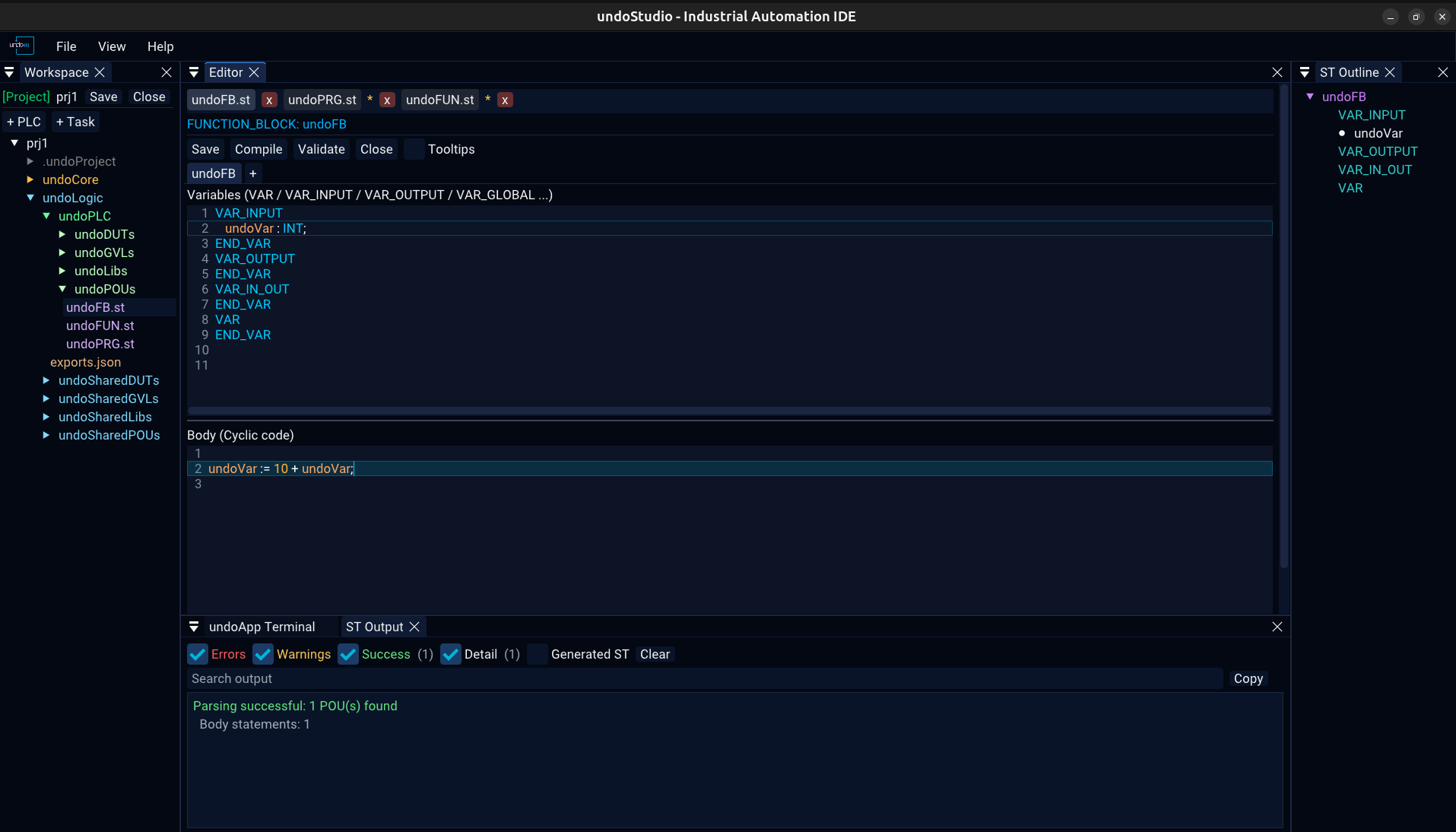
A POU is edited as two panes with a splitter between them:
VAR, VAR_INPUT, VAR_OUTPUT, VAR_IN_OUT, VAR_EXTERNAL, VAR_GLOBAL, VAR_TEMPWhere the splitter sits is remembered per workspace in undoApp.Editor.ini.
A FUNCTION_BLOCK has method tabs beside the POU tab; PROGRAM and FUNCTION do not, because they have no methods in ST. Tabs can be dragged to reorder them.
+** adds a method, asking for its name and return type rather than inventing oneSaving or compiling serializes every tab of the POU, not only the one on screen. The editors for a method are created the first time the tab is opened and kept after it.
| Button | |
|---|---|
| Save | writes the whole POU, every method tab included |
| Compile | hands the project to st2cpp — see output.md |
| Validate | parses and analyses without generating |
| Close | closes the document |
| Tooltips | off by default; see autocomplete.md |
Identifiers are coloured by what they resolve to — a declared variable, a function, a type, a keyword — using the symbol table st2cpp builds, not a keyword list. A name that resolves to nothing is left uncoloured, which is how a typo shows up before it is compiled.
The ST Outline panel shows the parsed structure: each POU, its variable sections and the declarations in them, its methods, and the file's structs and enums. It is empty until a valid file is open, and it says so.
| Key | |
|---|---|
Ctrl+S | save |
Ctrl+N | new POU |
Ctrl+W | close the document |
Ctrl+Click | go to the declaration of the identifier under the cursor |
The rest are in keyboard.md.
 1.9.8